Most "complete AI UGC workflows" are tool diagrams.
Claude points to an image model. The image model points to a video model. The video model points to a scheduler.
What is missing:
- who decided the customer claim;
- who owns likeness rights;
- what exactly was approved;
- which artifact gets reused;
- where a failed job resumes;
- how performance changes the next brief.
A complete workflow is a chain of accountable decisions, not a row of logos.
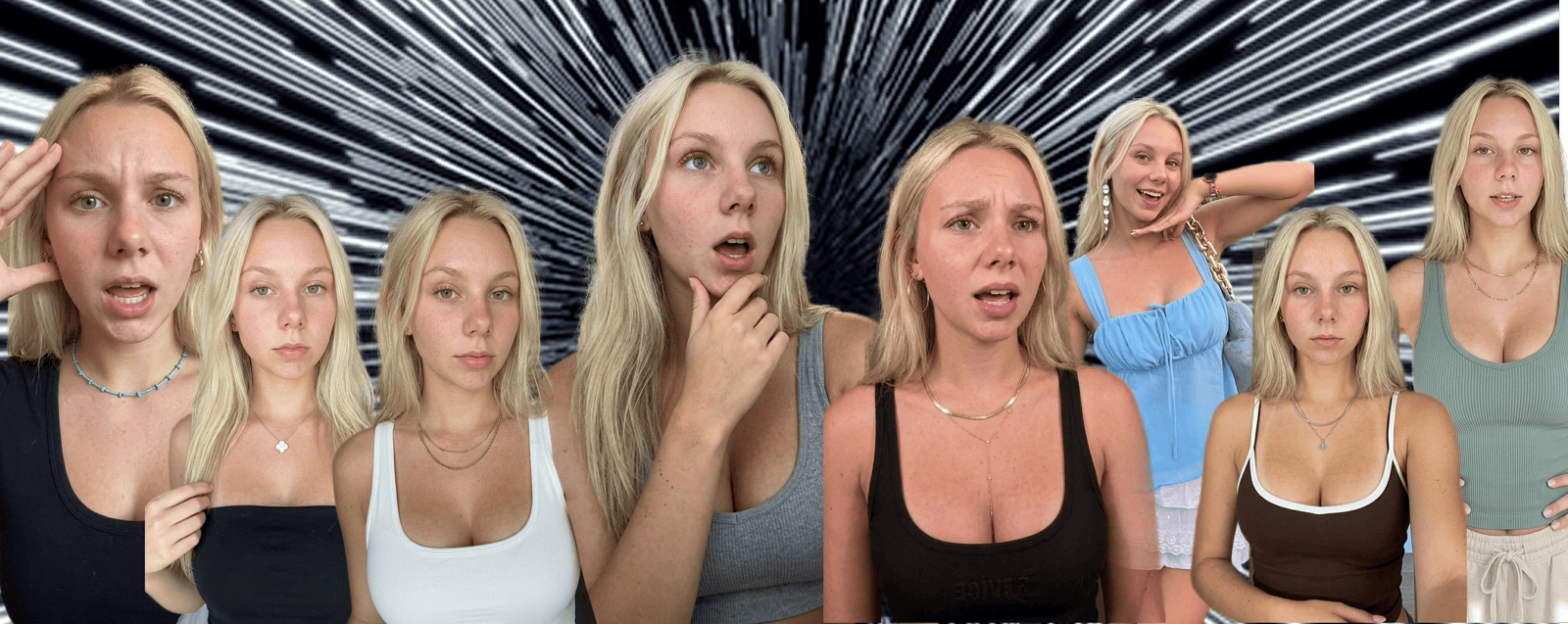 End-to-end AI UGC workflow
The operating table
| Stage | Artifact | Decision owner | Automation role | Gate |
|---|---|---|---|---|
| Customer research | Evidence set | Research/marketing | Collect, transcribe, cluster | Sources traceable |
| Creative strategy | Hypothesis | Creative lead | Propose patterns and counterarguments | One testable argument |
| Creator design | Creator profile + rights | Brand/legal | Generate options, enforce fields | Identity and use approved |
| Previsualization | Script + source frame | Creative lead | Draft, render candidates | First second approved |
| Animation | Video candidates | Producer | Generate, retry known failures | Candidate technically valid |
| Editorial QC | Review record | Named reviewer | Flag defects and policy risks | Human approval |
| Assembly | Master asset | Editor/producer | Captions, crops, exports | Version locked |
| Distribution | Publishing package | Account owner | Authorized upload/scheduling | Explicit publish approval |
| Measurement | Metric snapshots | Growth/analytics | Ingest and normalize | Comparable result window |
| Learning | Decision memo | Creative lead | Summarize by lineage | Next action chosen |
One person can own several columns. The columns still need to exist.
1. Customer research
Input:
- app reviews;
- interviews;
- support tickets;
- sales notes;
- comment language;
- product analytics;
- competitive references.
Output:
A versioned evidence set, not a prompt transcript.
Every useful insight links back to a source. Sensitive information is removed or governed before it reaches an external model.
The model can cluster evidence. A person decides whether the cluster is a real problem worth building around.
Gate:
- enough evidence to state a customer situation;
- counterevidence included;
- no fabricated quote;
- legal basis for data use understood.
2. Creative strategy
Output one hypothesis:
Example:
For people surprised by annual renewals, an itemized-spend reaction will improve qualified profile visits because it turns an abstract budgeting problem into visible proof.
The output is not "10 viral hooks."
Gate:
- one audience situation;
- one argument;
- one success metric;
- producible proof;
- prohibited claims;
- a reason the format fits.
3. Creator design
A creator asset has three layers:
Identity
- approved face or licensed likeness;
- reference views;
- visual boundaries;
- disclosure requirements.
Voice
- delivery range;
- vocabulary;
- sentence patterns;
- approved and rejected examples;
- audio rights.
Role
- what this creator plausibly knows;
- which products they can demonstrate;
- what they must never claim;
- relationship to the brand.
"Relatable 24-year-old woman" is not a creator profile. It is demographic shorthand pretending to be characterization.
Gate:
- rights documented;
- identity approved;
- role truthful;
- brand fit;
- no deceptive impersonation.
4. Previsualization
Create the cheapest artifact that proves the first second:
- script;
- shot list;
- storyboard;
- source frame;
- table read;
- animatic.
Here is a source format and two creator executions:
The approval question is not "do we like these?"
It is:
Does this execution preserve the intended hook mechanic while remaining a truthful, distinct creative?
Gate:
- script claim review;
- source frame approval;
- product proof available;
- motion request explicit;
- rejection criteria written.
5. Animation
The generator receives an approved artifact and a bounded job:
Persist every attempt. Retry only known, retryable failures. Stop at the budget.
Gate:
- valid output;
- no source-frame drift beyond tolerance;
- motion matches the brief;
- cost and lineage recorded.
6. Editorial QC
Use two passes.
Mechanical:
- file integrity;
- dimensions;
- duration;
- audio;
- captions;
- safe areas.
Editorial:
- believable performance;
- identity continuity;
- product truth;
- claim support;
- disclosure;
- taste;
- audience fit.
A vision model can assist both. A named reviewer owns the final decision.
Gate:
- approved version ID;
- approval timestamp;
- reviewer;
- reasons for any exception.
7. Assembly
Create one master, then deterministic exports:
- 9:16;
- platform-specific captions;
- thumbnail;
- social preview;
- localization variants;
- ad-safe version if needed.
Do not regenerate the human performance to change a typo.
Keep:
- source;
- edit decision;
- copy;
- captions;
- audio;
- exports.
Gate:
- exact copy locked;
- rights-cleared audio;
- destination correct;
- no stale product UI;
- checksums or stable asset IDs.
8. Distribution
Use authorized accounts and official integrations.
The account owner approves:
- account;
- caption;
- disclosure;
- scheduled window;
- final asset;
- campaign.
Automation may upload or schedule. It should not create deceptive account networks, fake location signals, or evade enforcement.
Gate:
- explicit publish approval;
- idempotency key;
- platform response persisted;
- rollback or takedown owner known.
9. Measurement
Separate creative metrics from business outcomes.
Creative:
- first-second hold;
- completion;
- rewatches;
- saves;
- shares;
- profile visits.
Business:
- qualified clicks;
- signup;
- activation;
- purchase;
- retention;
- marginal CAC or revenue.
Not every platform exposes every metric, and attribution is imperfect. Store raw snapshots and document definitions.
Gate:
- minimum observation window;
- comparable cohort;
- data completeness;
- no winner label from one noisy metric.
10. Learning
Every deployment should end in one of four decisions:
- expand: test one controlled variable;
- repeat: gather more comparable evidence;
- revise: preserve the hypothesis, change execution;
- retire: stop spending on the branch.
Write a short decision memo:
That memo is what closes the loop. Dumping metrics into the next giant prompt does not.
Build versus buy
Build when the capability is part of your differentiation:
- creative lineage;
- approval state;
- client-specific rules;
- performance learning;
- routing logic.
Buy commodity infrastructure:
- object storage;
- queues;
- model APIs;
- transcription;
- media encoding;
- authorized platform integrations.
The hard part is not owning every model call. It is owning the decision history across them.
The Ghostfeed version
Our landing-page promise is blunt:
One video. Hundreds of posts.
That does not mean one idea cloned until the feed is full.
It means one approved source can become reusable creator executions, reactions, slideshows, hooks, and platform cuts—with approval state and asset lineage intact.
No filming, no editing, no prompting is the product experience we want for the customer. Behind that simplicity, the workflow still needs research, judgment, rights, and review.
For reaction-led UGC, that experience maps to a very specific product path:
The Ghostfeed MCP exposes the creation parts of that same path. An agent can search both libraries, import, render frames, poll generations, and animate only approved frames. It must hand the user the dashboard link for a required crop or finished edit. That is intentional: the agent accelerates the reversible work and stops at the expensive or editorial decisions.
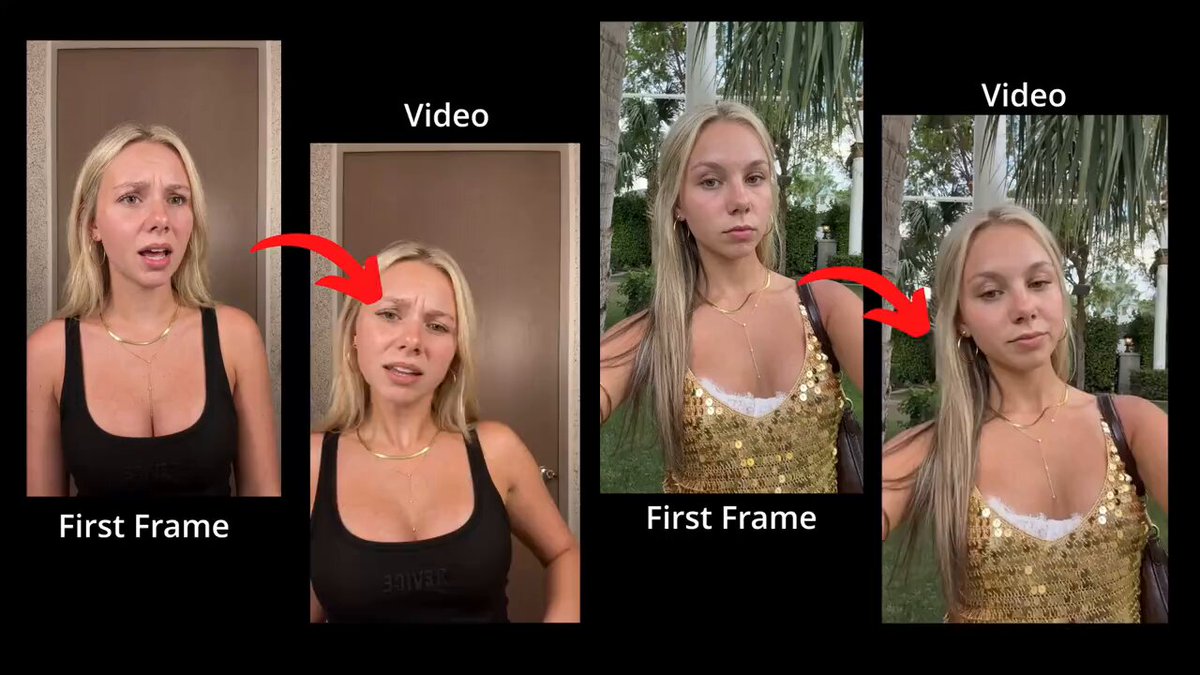 Ghostfeed under the hood: approve the first frame, then render motion while preserving the selected identity and scene
For production-system details, read How to scale AI UGC production. For the exact agent contract, use the Ghostfeed UGC reactions MCP guide. For a first-month operating cadence, use the 30-day AI UGC launch plan.