“Add pores, bad lighting, and camera shake” is not a phone-footage spec.
It is a caricature of one.
Real phone video can be:
- beautifully exposed;
- stabilized;
- sharply composed;
- shot with controlled light;
- edited well.
What makes it feel phone-shot is a coherent capture model—not random defects.
First: do not confuse style with identity
A phone-shot aesthetic can make an ad feel native to a feed.
It should not be used to imply:
- a real customer recorded the clip when they did not;
- a real person endorsed a product without consent;
- an event happened;
- a result is documented;
- synthetic footage is authentic evidence.
Native style and truthful provenance can coexist.
Disclose synthetic or materially altered media where the platform or context requires it.
Define the capture situation
This gives every later decision a cause.
Camera ownership changes the frame
Who holds the phone?
Subject-held
- arm’s-length distance;
- small perspective exaggeration;
- camera moves with torso and hand;
- subject often checks framing;
- gaze may alternate between lens and screen.
Friend-held
- more variable distance;
- operator reaction can affect framing;
- subject can use both hands;
- gaze goes toward operator or lens.
Propped phone
- mostly fixed composition;
- table-height or shelf-height clues;
- subject can enter and leave;
- motion comes from performance, not camera.
“Handheld” is incomplete without an operator.
Use plausible lens geometry
Phone front cameras often feel wider at close distances.
The result:
- foreground features are slightly emphasized;
- background recedes;
- face shape changes with distance;
- edges can distort more than center.
Prompt/spec:
Do not ask for:
Those imply different geometry.
Model autoexposure, not “bad lighting”
Phone capture responds to the scene.
Example:
Useful direction:
“Uneven lighting” without a source produces incoherent shadows.
Motion needs a cause
Bad direction:
Add realistic camera shake.
Useful direction:
Different causes create different motion:
| Cause | Motion |
|---|---|
| Breathing | Slow, low amplitude |
| Walking | Periodic vertical movement |
| Grip adjustment | Brief directional correction |
| Tapping screen | Small impulse |
| Propped phone | Nearly static |
Random jitter looks like an effect.
Rolling shutter should be rare and causal
Fast phone movement can skew vertical lines.
That does not mean every clip needs a wobbling background.
Use only when:
- the phone pans quickly;
- the operator walks;
- a sudden correction occurs.
If the subject is calmly talking at a desk, visible rolling-shutter distortion is probably wrong.
Performance beats skin prompts
The strongest “real person” signals are often behavioral:
- breath before speech;
- thought arriving mid-sentence;
- gaze shift;
- asymmetrical expression;
- gesture that begins before the word;
- natural interruption;
- response to the environment;
- variable emphasis.
Direction:
“Enthusiastic UGC creator” produces a performance category.
Specific intention produces behavior.
Skin should follow capture
Avoid a ritual list of:
pores, blemishes, wrinkles, imperfections.
That can exaggerate texture and become another synthetic tell.
Specify:
- unfiltered skin;
- plausible detail for distance and compression;
- consistent texture across motion;
- no waxy smoothing;
- no texture swimming frame to frame.
At arm’s length with platform compression, individual pores may not be visible.
The important thing is that skin does not look airbrushed or temporally unstable.
Audio is half the phone aesthetic
Phone-style picture with studio-booth audio feels assembled.
Capture spec:
Do not bury speech in noise to make it “authentic.”
Speech still needs to be intelligible.
Product interaction exposes bad physics
Hands, phones, packaging, and interfaces are high-risk.
Break the shot:
Do not force one generative shot to:
- preserve identity;
- animate dialogue;
- manipulate a phone;
- display exact UI;
- maintain readable copy.
That is five hard problems in one render.
Keep UI deterministic
Use:
- real screen capture;
- approved product render;
- tracked screen replacement;
- native motion graphics.
Generated UI is not product proof.
It is an illustration—and often an inaccurate one.
Build a reference pack
Each reference has one job.
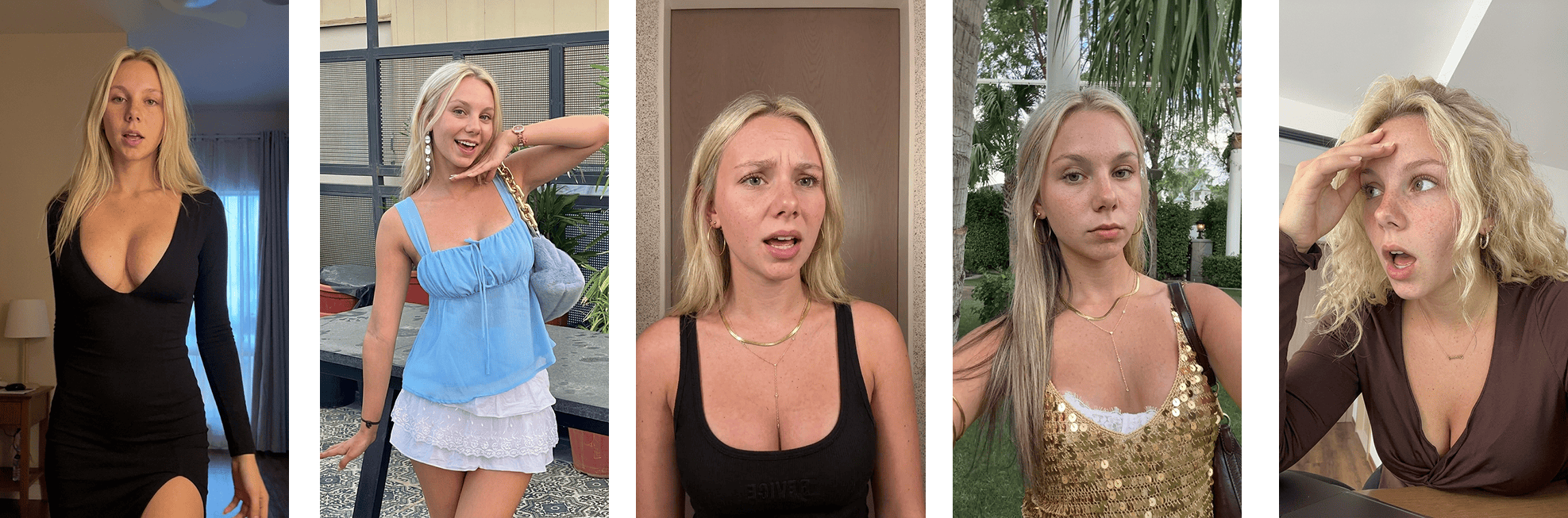 A controlled source-frame workflow
Review temporally
A good first frame proves very little.
Watch:
- eyes;
- teeth;
- hair edges;
- earrings;
- fingers;
- phone geometry;
- background lines;
- lighting direction;
- texture stability;
- lip/audio timing.
Scrub the whole clip.
Then watch once at feed speed without pausing. A technically imperfect frame may be irrelevant; a recurring motion failure may be fatal.
Compare source and result
Source:
Generated variant:
Review the relationship:
- Did the motion transfer preserve intent?
- Did identity remain stable?
- Did framing still make physical sense?
- Did the result inherit artifacts from the reference?
- Does disclosure remain accurate?
Do not judge only whether the generated person is attractive.
A complete shot spec
Do not degrade after generation
Adding:
- VHS noise;
- fake dust;
- heavy grain;
- extreme compression;
- random blur;
- repeated shake;
does not create phone realism.
It can hide defects, which is different.
Export cleanly, then apply only the compression and color transforms required by the intended distribution path.
The rule
Phone-shot style is a physical system:
Specify the system.
Do not sprinkle imperfections.
Ghostfeed makes source-frame and motion workflows reusable, so one approved capture language can carry across many posts without rewriting a giant realism prompt every time.
The product route is concrete. An agent with Ghostfeed MCP connected can search the owned templates and then the inspiration library for a phone-like opening pose, cast several approved avatars into that frame, and stop for review. After approval, clone mode preserves authorized source motion; prompt mode directs a new performance while keeping the selected composition.
If the source is a longer owned phone clip, the agent returns the dashboard handoff. I can crop the exact usable take or run Smart Crop to split detected scene changes into several templates, then ask the agent to continue from the chosen one. The camera language therefore lives in a reusable source and approved frame, not in a pile of adjectives.
Native should mean visually at home on the platform.
It should never mean falsely presented as real evidence.