Most advice about fake-looking AI UGC ends with:
Add pores. Remove cinematic lighting. Ask for natural motion.
Useful occasionally. Incomplete most of the time.
An uncanny video can fail at four different layers:
- source frame;
- motion;
- audio;
- creative context.
If the face is wrong in the approved still, rewriting the motion prompt is pointless. If the performance is wrong, adding skin texture will not create intent. If the premise is deceptive, better rendering only makes the problem more polished.
Diagnose the layer before regenerating.
Realistic is not the same as undisclosed
The goal is visual coherence and believable performance—not hiding required AI disclosure or tricking people about a real person's endorsement.
TikTok requires labels for certain realistic AI-generated content and provides disclosure tools. Meta also applies AI information labels based on detected signals and user disclosure. Read the current TikTok AI-generated content guidance and Meta's labeling approach.
You can disclose AI and still make good creative.
Layer 1: the source frame
Pause before animation.
Ask:
- Does this person have a stable identity?
- Does the expression match a moment?
- Is the camera plausible for the format?
- Does the product exist correctly?
- Are hands and objects already coherent?
- Is there enough room for the intended motion?
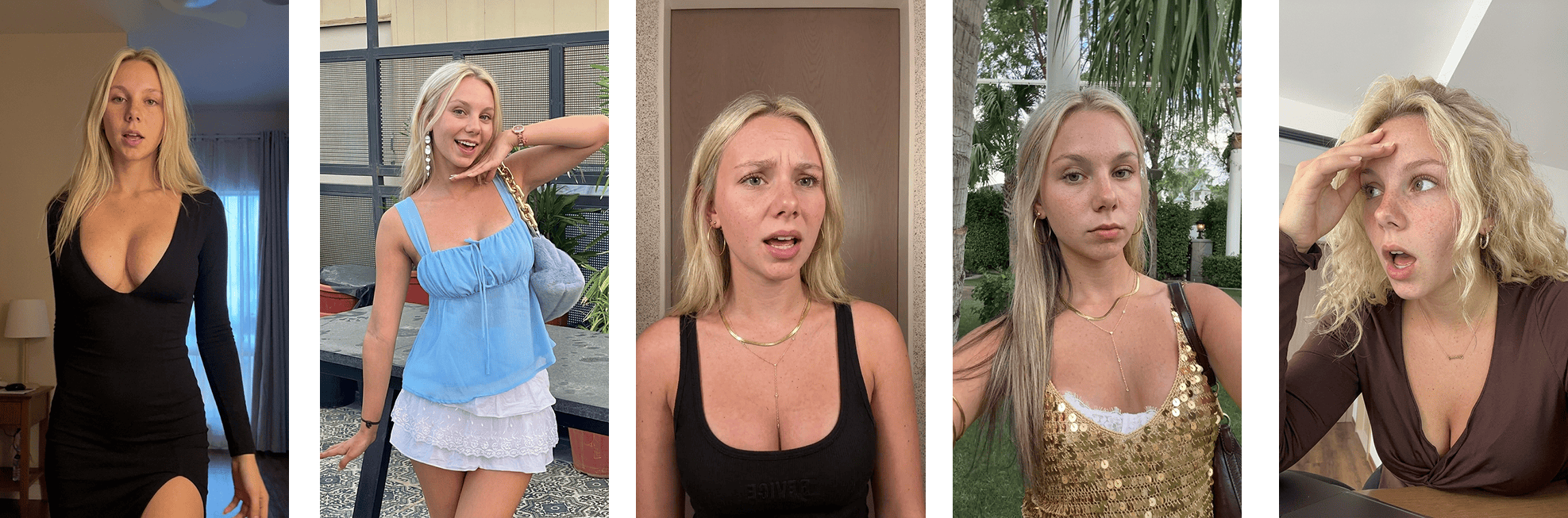 Approved Ghostfeed source frame
Failure: beauty-render skin
Symptoms:
- uniform texture;
- highlights smeared across the face;
- no local variation around eyes, nose, or cheeks;
- makeup and skin fused together.
Do not respond with a giant "more pores" clause.
Fix the image brief:
Review at delivery size and at 100%. Over-textured skin can be just as synthetic.
Failure: camera-language mismatch
Symptoms:
- luxury commercial lighting for a bedroom confession;
- extreme background blur on a casual phone clip;
- impossible camera height;
- perfectly centered composition when the format implies handheld capture.
Fix:
- name the capture device or visual language;
- specify camera position;
- describe available light;
- decide whether the shot is casual, editorial, surveillance, screen-led, or studio.
"UGC" is not one camera style.
Failure: expression without cause
Symptoms:
- generic smile;
- maximum surprise;
- eyes aimed at nowhere;
- face and body expressing different emotions.
Fix:
Describe what the creator is attending to and the thought occurring in the beat.
Instead of:
shocked expression
Use:
reading the annual total on the phone; eyebrows lift slightly; eyes return to the same line as if checking it twice; mouth stays closed
The second brief contains behavior.
Layer 2: motion
A good still can become a bad video.
Watch once muted and at normal speed.
Failure: continuous movement
AI motion often tries to animate everything:
- camera drifts;
- head sways;
- hair moves;
- hands gesture;
- background breathes;
- expression keeps changing.
Humans pause.
Fix the brief around beats:
Motion restraint is often more convincing than extra detail.
Failure: object physics
Symptoms:
- phone changes shape;
- fingers pass through objects;
- cup weight feels absent;
- fabric ignores the body;
- background geometry shifts during camera movement.
Fix options:
- reduce the action;
- lock the camera;
- use a reference video;
- composite a real product screen;
- crop out nonessential hand interaction;
- choose a model measured to handle this shot class;
- film the difficult interaction.
Do not hide a structurally broken hand under captions.
Failure: identity drift
Symptoms:
- eye shape changes;
- teeth or jaw change during speech;
- hairline moves;
- creator looks like a sibling by the final frame.
Fix:
- improve the source identity reference;
- shorten the shot;
- reduce head rotation;
- limit expression extremes;
- use image-to-video with the approved source;
- compare first, middle, and last frames automatically and manually.
Different reactions justify different motion envelopes. A worried re-check, a positive reveal, and a playful resolution should not share one generic prompt.
Layer 3: audio
Watch again without looking at the screen.
Failure: script and breath disagree
Symptoms:
- sentence too long for the clip;
- no pauses;
- emphasis on the wrong word;
- emotional delivery does not match the scene;
- voice sounds recorded in a different room.
Fix:
- write for speech, not an essay;
- mark pauses and emphasis;
- shorten clauses;
- match room tone;
- let the creator breathe;
- test the audio before final animation.
Failure: lip sync
Lip-sync errors are not always fixable with "perfect lip sync" in a prompt.
Diagnose:
- phoneme mismatch;
- timing drift;
- jaw movement;
- teeth instability;
- audio starting before facial intent;
- edit moving audio out of sync.
Fix:
- shorten the line;
- use a different take;
- separate reaction and spoken beat;
- cut to product proof during difficult words;
- use deterministic retiming within safe limits;
- regenerate only the failed segment.
Never average six bad takes into one acceptable metric. Review the actual selected asset.
Failure: synthetic cleanliness
Perfectly isolated voice over noisy phone footage feels assembled.
Add or preserve appropriate:
- room tone;
- microphone distance;
- background ambience;
- compression;
- volume variation.
Do not degrade audio until it is hard to understand. Native does not mean bad.
Layer 4: creative context
This is the failure prompts cannot fix.
Failure: the creator knows something they could not know
Example:
A fictional customer claims the app saved them $2,412.
There is no real customer evidence.
The face can be perfect. The content is still fake.
Fix:
- use a product demo;
- make the number an explicit example;
- use a real, permissioned testimonial;
- frame the creator as a presenter, not a customer.
Failure: emotion exceeds the event
A maximum gasp at a normal settings screen feels fake because the reaction is semantically wrong.
Fix:
- lower the performance;
- increase the actual proof;
- pick a moment that deserves the emotion;
- use dry or skeptical delivery.
Failure: generic environment
The creator claims to be using an app at work, but the scene contains no work, no product, and no consequence.
Fix:
- use specific objects that matter;
- show the moment before or after product use;
- avoid clutter added only to signal "authenticity."
Failure: copied persona
A generated creator imitates a recognizable real person's appearance, voice, or mannerisms without permission.
Fix:
- use original or licensed creator assets;
- document rights;
- avoid prompts naming real people;
- review for confusing similarity.
The isolation test
When a video fails, create four questions:
- Does the first frame pass on its own?
- Does the silent motion pass?
- Does the audio pass on its own?
- Does the full premise remain truthful and plausible?
| Result | Likely action |
|---|---|
| Frame fails | Regenerate or redesign source frame |
| Frame passes, motion fails | Rewrite motion or change route |
| Motion passes, audio fails | Rewrite/retake/retime audio |
| All media passes, full piece fails | Fix premise, proof, or edit |
This prevents blind rerolls.
Store failure reasons
Use structured codes:
Then measure:
- failure rate by model;
- failure rate by shot class;
- retries per code;
- reviewer disagreement;
- cost per approved second;
- which fixes actually work.
Automated vision can pre-classify. A human reviews the candidate and owns approval.
Ghostfeed turns that isolation test into a production path. The Ghostfeed MCP-connected agent searches the workspace template library, then the inspiration library, for an opening pose that matches the hook. It renders the selected avatars as still frames and stops. If the frame fails, regenerate the frame. If the frame passes but motion fails, keep the approved frame and change only the animation route.
- Use clone when the exact authorized template motion should survive.
- Use prompt when the pose passes but the action or emotional arc should change.
- If an owned 30–120 second source contains several beats, use the dashboard crop or Smart Crop to create shorter templates before comparing them.
This matters because “make it more realistic” is not an operation. “Keep the approved Gia frame, switch from clone to a restrained prompt-directed re-check” is.
The practical rule
Do not ask:
How do I make this more realistic?
Ask:
Which layer violates the viewer's expectation, and what is the smallest truthful fix?
Sometimes it is skin texture.
Sometimes it is a four-second pause.
Sometimes it is replacing a generated phone interaction with a real screen recording.
Sometimes the correct fix is killing the concept.
For the full pre-publish pass, use the 17-point AI UGC quality checklist. For production routing, read AI UGC model routing.