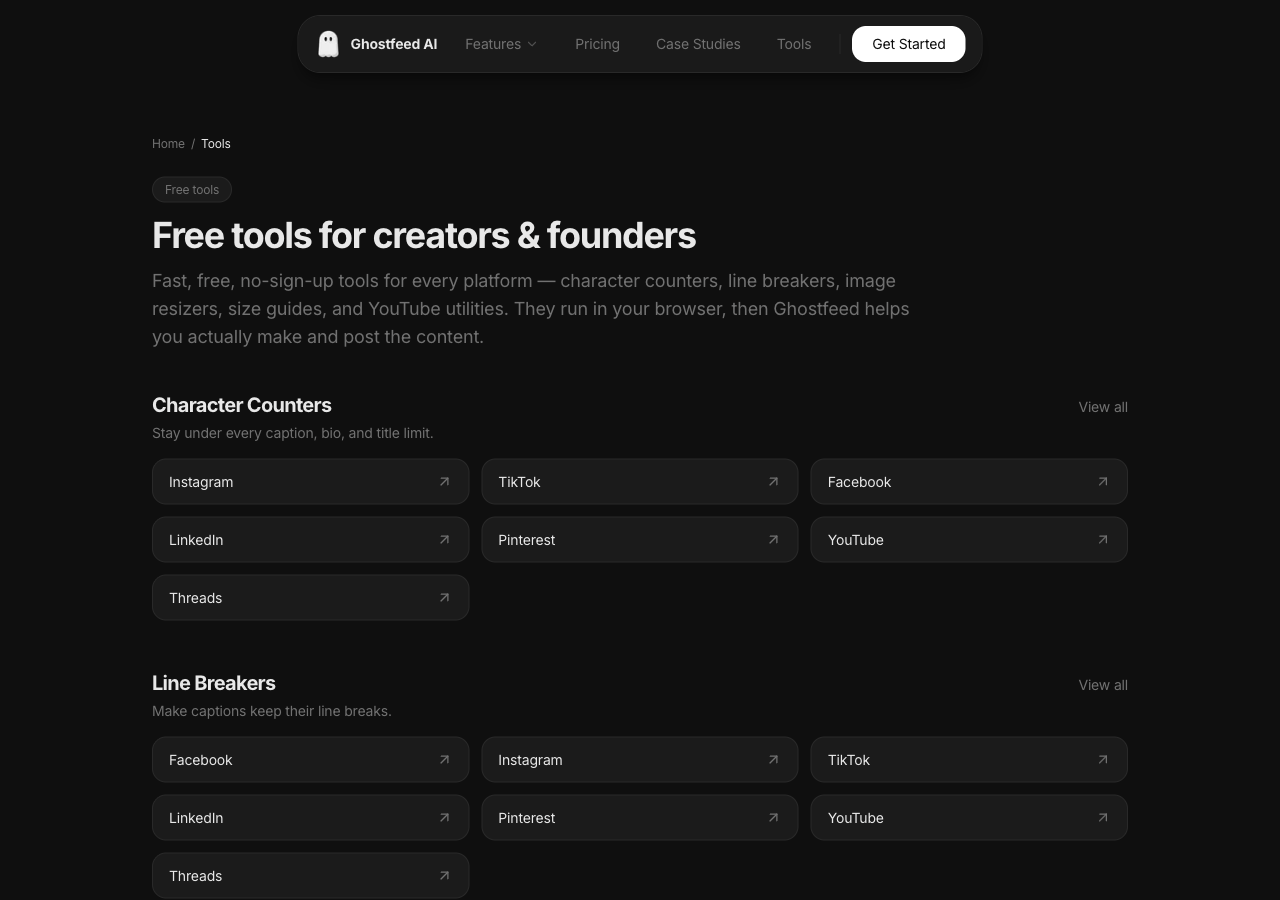
 Free tools for creators and founders
If you read my last post on running 12 AI personas, you already know the AI is the easy part now. The models are basically solved. The annoying part is the fifty tiny chores wrapped around every single post.
Is the caption under the limit. Did the line breaks actually survive when I pasted them into Instagram. What size does this image need to be for a Pinterest pin versus a story. What's the thumbnail URL for that video I want to swipe. None of it is hard. All of it breaks your flow.
For months I kept opening some random tool site for each of these. Half of them were broken. The other half wanted my email before they would count to 280, or threw an error the second I clicked generate (go test the AI caption generators on the sites that rank for these terms, most of them just fail).
So I built my own. They are free, there is no login, and nothing gets uploaded to a server. Everything runs in your browser. Here is all of it, grouped by what it actually does.
Character counters
Every platform has a different limit, and most of them lie to you about where the text gets cut. Instagram gives you 2,200 characters but only shows the first ~125 before the "more" fold. YouTube descriptions allow 5,000 but the part that matters is the first 157.
The counter tracks all of it live: characters, words, lines, hashtags, mentions, and where you stand against the real limit for the field you are writing for. Emojis count as one character, the way the apps actually count them.
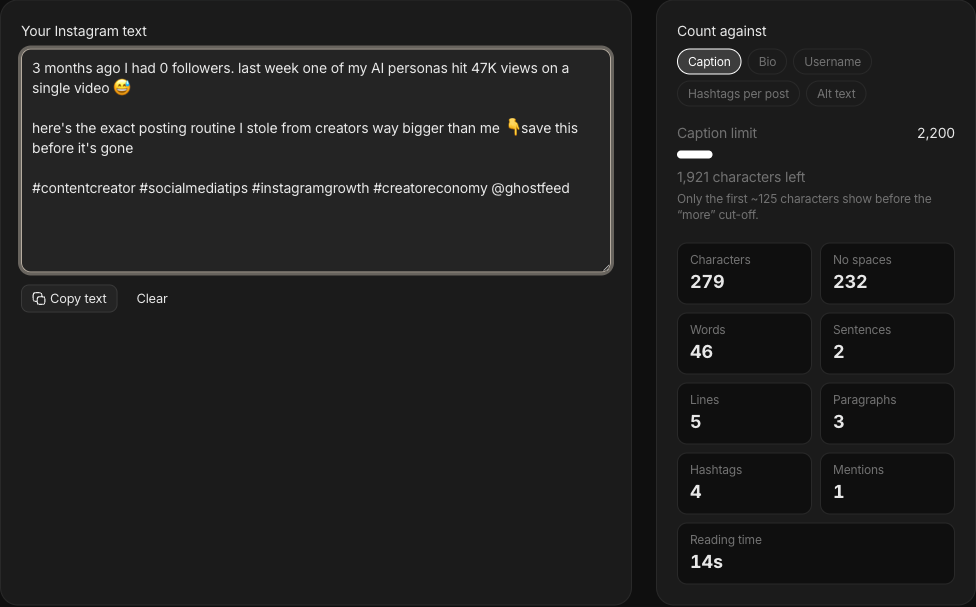 Instagram character counter with live counts
Pick your platform: Instagram, TikTok, YouTube, LinkedIn, Facebook, Pinterest, Threads. Or see them all on the character counter hub.
Line breakers
This one fixed a problem that genuinely annoyed me for a year. You write a clean three-paragraph caption, hit share, and Instagram collapses it into one wall of text. Threads and TikTok do the same thing. They strip the empty lines.
The fix is dumb and it works: the tool drops an invisible character on each blank line so your spacing sticks. Paste, copy, done. Your followers see clean paragraphs, no visible dots or symbols.
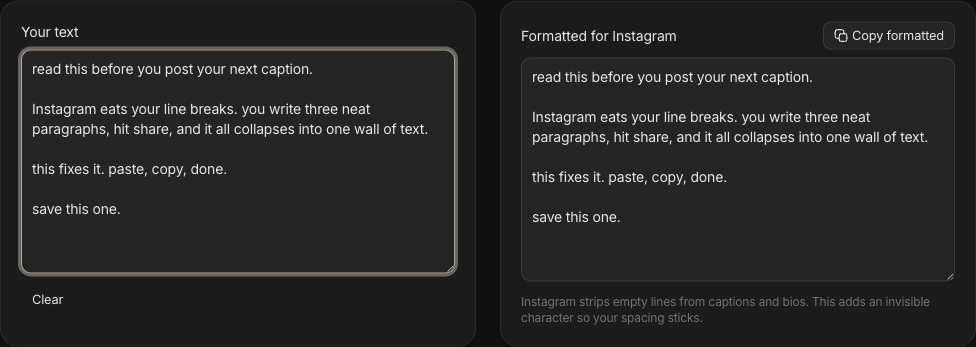 Instagram line breaker showing input and formatted output
Instagram, TikTok, Threads, LinkedIn, Facebook, Pinterest, YouTube. All of them on the line breaker hub.
Image resizers
Crop and resize an image to the exact dimensions a platform wants, without opening Figma or sending your photo to someone's server. Pick a format (feed post, story, cover, profile) and it does a center crop to that size right in the browser, then you download it.
I built these for Instagram, Pinterest, Facebook, and LinkedIn. More on the image resizer hub.
PS: because it all runs locally, this is also the safe option when the image is something you would rather not upload to a random website.
Size guides
Sometimes you do not need to resize anything, you just need to know the number. These are plain reference pages with the current 2026 dimensions, aspect ratios, and file specs for posts, stories, profiles, ads, and thumbnails. One page per platform so you are not digging through a help center.
TikTok, Instagram, YouTube, Facebook, LinkedIn, Pinterest, X, Bluesky, and Mastodon. Index on the size guide hub.
YouTube tools
YouTube has its own pile of little chores, so it got its own set of six.
The revenue calculator gives you a low-to-high earnings range from your views, RPM, and the share of views that actually get an ad. It uses RPM, not CPM, because RPM is what lands in your account after YouTube takes its cut. The range matters more than the number, real earnings swing hard by niche and geography.
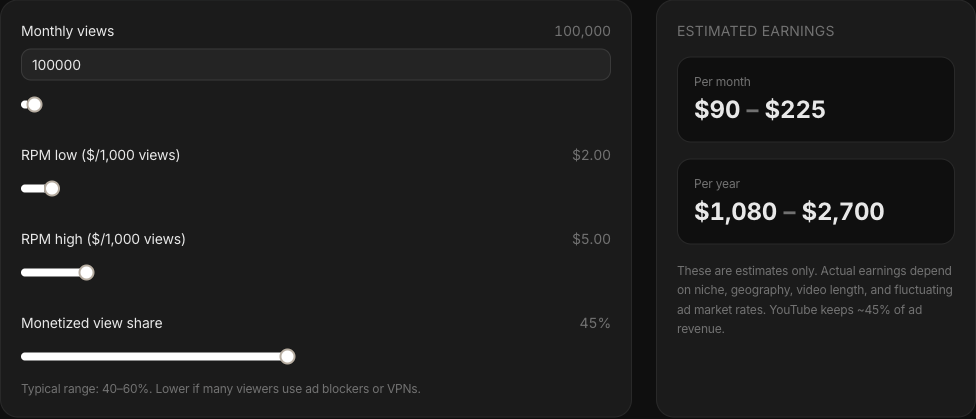 YouTube revenue calculator showing a low to high earnings range
The rest:
- Embed code generator - responsive iframe with start time, autoplay, loop, mute, and privacy-enhanced (no-cookie) mode for EU sites.
- Thumbnail downloader - grab any video's thumbnail in every resolution, including maxres HD. Good for swipe files and competitor research.
- Timestamp link generator - a link that jumps to an exact second.
- Subscribe link generator - turns your channel into a one-click subscribe link that pops the confirm dialog. Put it in your bio and email footer.
- Video schema generator - VideoObject JSON-LD so a page embedding your video can show up as a video rich result in Google.
All six sit on the YouTube tools hub.
Why these exist
I will be honest about the motive. Part of this was me getting tired of broken tools. Part of it is that these pages are how people find Ghostfeed in the first place, the same way the GradBro personas found their audience through content and not ads.
But the tools have to actually work, or the whole thing backfires. So none of them are bait. There is no signup gate, no "enter your email to see the result." You use the tool, you leave, and maybe you remember that the people who made it also make Ghostfeed when you need to turn a product into TikTok videos and slideshows without filming anything.
That is the trade I am happy with.
Every tool lives in one place: the free tools page. Bookmark that and you have the whole set.
If you build something with them, I would love to see it. Good luck out there.